Which outputs your gear actually has
The first question is not which cable to buy but what your unit offers. The entry-level classes are worlds apart — some controllers have their own sound card with separate master and headphone paths, others borrow both from a phone.
| Class of device | Where the sound comes out | What that means |
|---|---|---|
| Controller with its own sound card | Master and headphones come out of the unit separately. | On the DDJ-FLX4 those are RCA sockets for the master and a 3.5 mm headphone output at the front. The most comfortable case: one cable to the computer, one pair to the speakers, done. |
| Controller with no audio path of its own | The sound comes out of the phone, not out of the unit. | Per its manual the DDJ-200 uses a supplied splitter cable on the mobile device's headphone output: headphones into the white plug, speakers into the black one. Without that cable there is no cueing. |
| Entry-level unit with numbered outputs | Two output pairs, labelled differently. | On the Hercules DJControl Inpulse 200 the speaker output is 1–2 on RCA sockets and the headphone output is 3–4 on a 3.5 mm socket. Swap them and the room hears your cueing while you hear the mix. |
| Microphone | Its own socket with its own rules. | The DDJ-FLX4's mic input is a 1/4" TS socket and takes unbalanced signals only. An XLR microphone therefore needs a proper path to it, not just a plug adapter. |
The four cables it comes down to
RCA to RCA
From the MASTER output to powered speakers with RCA inputs. Red is right, white is left. Keep it short and don't run it alongside the mains cable.
RCA to jack or XLR
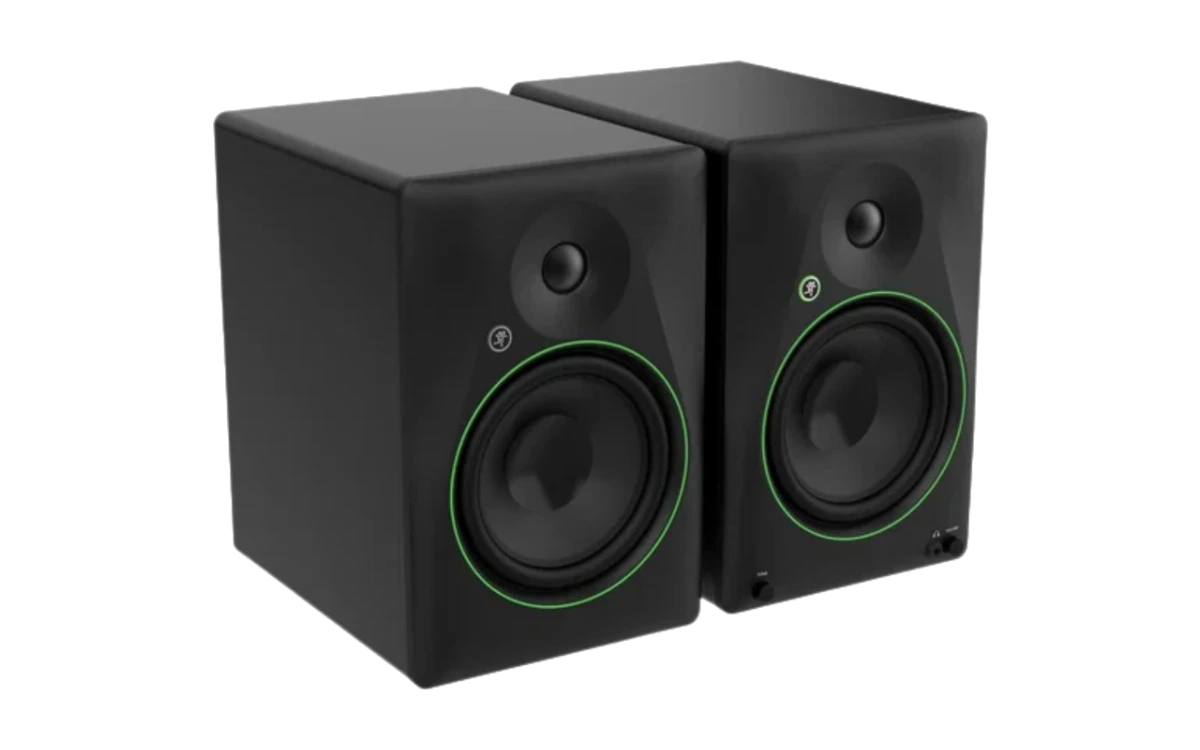
The most common case with monitor speakers built for studio connectors. A single made-up cable beats two adapters: every extra joint is a place that crackles later.
USB to the computer
Certified, no longer than 3 m on USB-A, and on USB-C preferably the supplied one. A hub only if your computer's manufacturer recommends it.
The cable nobody plans for
An extension lead with enough sockets so that computer, controller and both speakers hang off the same strip. Not an accessory — the single most common reason a setup hums.
Power: why some units have two USB ports
On a computer the DDJ-FLX4 runs on USB bus power over a single connection. The manual does list four cases where that stops being enough: a USB port with too little power, other devices connected, headphones below 32 Ω, and a mono jack plug in the headphone output. That is what the second USB port is for — it only supplies power.
If a USB power supply or a battery pack sits there, it should deliver no more than 24 V, or 9 V at 3 A DC. For the data connection: on USB-A a certified cable no longer than 3 m, on Lightning an Apple-certified one of the same length, on USB-C the supplied cable. A USB hub only if your computer's manufacturer recommends it.
Connecting it in seven steps
The order is the whole trick. Get it right once and you do it without thinking afterwards — and you never hear the difference, because nothing happens.
Everything off, every level down
Speakers off, amp off, MASTER LEVEL and channel faders all the way back. Every bit of damage done while connecting happens on a powered speaker with the level open — and every pop that startles you later could have been prevented right here.
Unplug the USB cable before you re-patch
The manufacturer says it explicitly: disconnect the USB cable before connecting devices or changing connections. It costs five seconds and saves you the kind of fault you then spend an hour looking for in the software.
Speakers into the MASTER output
Powered speakers or an amplifier go into the MASTER outputs — on the DDJ-FLX4 two RCA sockets, unbalanced. Red is right, white is left, and both plugs go all the way in. If your speaker only has jack or XLR, you need a cable with RCA on the controller end, not a tower of adapters.
Headphones at the front — mind the impedance
The DDJ-FLX4's headphone output takes a 3.5 mm stereo mini jack, and AlphaTheta requires at least 32 Ω; below that, headphones do not work on this unit. A mono plug does not belong here either — it is one of the cases where USB power is no longer sufficient.
USB to the computer — and power on the second port if needed
On a computer one connection is usually enough: the unit runs on USB bus power. If that is not sufficient — other devices attached, a weak port, headphones below 32 Ω — a power supply or battery pack goes into the USB port for power. Cables on USB-A no longer than 3 m and certified; a hub only if your computer's manufacturer recommends it.
Check the output in the software
Before the first sound, look at where the software sends the master: if it names your controller, the sound comes out of the speakers; if it names the internal card, it comes out of the laptop. If you deliberately practise on the computer's speakers, set the volume on the computer and not with the MASTER LEVEL knob.
Power up — source first, speakers last — and set levels
Computer and controller first, then the speakers. Then build the level the way the manual describes it: TRIM up until the channel meter lights orange during the loudest part, channel fader up, and only then MASTER LEVEL to a volume you consider appropriate. Switching off runs the same order backwards.
When it hums, pops or drops out
One change at a time, or you will not know afterwards what helped. The list below is sorted by hit rate, not by effort.
It hums as soon as the charger is in
Unplug the laptop's power supply and run on battery. If the hum goes, it is the power supply and not the controller — then put every device on the same power strip.
One channel is silent or quiet
Nearly always the plug: pull the RCA out, seat it again properly, swap the cable. Only if the fault travels with the cable is it the cable; if it stays with the socket, it is the socket.
The headphones stay silent
Check the impedance: below 32 Ω headphones do not work on the DDJ-FLX4. And a mono jack plug does not belong in that output — the manual lists it as a case where USB power stops being sufficient.
The sound drops out or clicks digitally
Raise the buffer size in the software, remove the hub, try another USB cable and plug the unit straight into the computer. Digital dropouts sound different from analogue interference — they come in bursts, not as a constant tone.
Everything is connected and nothing arrives
Check the audio output in the software. If it names the internal card instead of the controller, the computer is playing into its own speakers — and you are hunting a cable for a fault that lives in a menu.
Five mistakes when setting up
Leaving everything on while re-patching
The manufacturer explicitly says to disconnect the USB cable before connecting devices or changing connections. Otherwise the pop as the plug goes in hits a powered speaker with the level open.
Switching the speakers on first
Then the room hears every startup sound from your computer and every click as the software opens. Source first, speakers last — and the reverse when switching off.
Riding the volume on the speaker
With the speaker maxed out and the controller at a quarter, mostly what you amplify is noise. The master on the unit is the working control; the speaker gets set once and then left alone.
Building adapter chains
Jack to RCA to jack, plus an extension: every joint is a loose contact in waiting. One properly matched cable costs less than the night the chain gives up.
Finding out something is missing at the venue
Setting up at home is the dress rehearsal. Anyone who has assembled and packed down their setup once knows which cable they are missing — and does not learn it an hour before their slot.
A note: the figures on sockets, impedance, cable lengths and power come from the manuals of the DDJ-FLX4, the DDJ-200 and the Hercules DJControl Inpulse 200 and hold for those units. Yours may differ — the one minute in your own manual is cheaper than any remote diagnosis. Everything about hum and power-on order is editorial experience.
Frequently asked questions about connecting
Which cable do I need from the controller to the speakers?
On the common entry-level units it is RCA. The DDJ-FLX4 has MASTER outputs as RCA sockets for powered speakers or an amplifier, explicitly as an unbalanced output; on the Hercules DJControl Inpulse 200 the same connection is called speaker output 1–2 in RCA format. Powered speakers with jack or XLR inputs then need a cable with RCA on one end and the matching plug on the other.
My headphones stay quiet or silent — why?
First of all: impedance and plug. For the DDJ-FLX4, AlphaTheta specifies headphones of at least 32 Ω; below that they do not work on this unit. And a mono jack plug in the headphone output is one of the cases in which the unit can no longer run on USB bus power. Both are in the manual, and both look like a hardware fault from the outside.
Does my controller need a power supply?
On a computer, usually not: the unit runs on USB bus power over a single connection. The manual does list the cases where that is not enough — insufficient power from the USB port, other devices connected, headphones below 32 Ω, a mono plug in the headphone output. That is what the second USB port for power is for; a power supply or battery pack on it should deliver no more than 24 V, or 9 V at 3 A DC.
How long can the USB cable be?
For connecting to a device with a USB-A port the manual specifies a certified cable no longer than 3 m; for Lightning, an Apple-certified cable of the same maximum length. For USB-C the manufacturer recommends the supplied cable. A USB hub in between is only allowed if your computer's manufacturer recommends it — most dropouts while practising come from exactly that chain.
My controller has no headphone socket at all — how do I cue?
Then cueing does not run through the controller but through the device it is attached to. For the DDJ-200 the manual describes exactly that: a supplied splitter cable on the mobile device's headphone output, headphones into the white plug, speakers into the black one. Without that cable the master signal comes out in stereo and nothing at all reaches the headphones.
In what order do I switch things on and off?
From source to speaker when switching on, the other way round when switching off: computer and controller first, then the powered speakers, with the master level down while you do it. When you finish, the speakers go off first. The reason is the thump a device sends down the line as it powers up or down — this way it hits a speaker that is already, or still, off.
There's a hum. What do I try first?
One change at a time, in order: unplug the laptop's power supply and run it on battery, put every device on the same power strip, reseat the RCA cables and try a different one, route the audio cables away from mains cables. If the hum disappears on battery power, it is the power supply and not the controller — that is the most common finding, and it costs nothing.
Can I just use the laptop speakers to practise?
To start with, yes, with one caveat straight from the manual: when the sound goes out through the computer's speakers, you set the volume on the computer and not with the MASTER LEVEL knob. Just don't judge the bass that way — laptop speakers barely reproduce it, and the most important move in a transition hangs on exactly that.
Get started
Cables are in — now what?
DJLearn starts exactly here: know every control before you mix. Twelve phases, free, no ads.
Start for free